LINE Toolkit Studio — Visual Rich Menu Editor & Orchestrator for LINE OA
In-house visual editor and orchestrator for LINE Official Account Rich Menus, featuring coordinate-scaled canvas, tab switchers (aliases), and direct LINE Messaging API deployment.
1. Overview
LINE Toolkit Studio is an in-house visual canvas editor and orchestrator designed to streamline the creation, simulation, and automated deployment of Rich Menus for LINE Official Accounts (LINE OA). It natively supports multi-tab navigation via LINE Rich Menu Aliases, eliminating manual JSON schema authoring and tedious (x, y, width, height) pixel calculations.
Engineered with a Security & Privacy First mindset, client Channel Access Tokens reside strictly in browser localStorage. No credentials or third-party client secrets are ever persisted to server disks or databases.
2. Stories & Visual Tour
Visual Canvas & Interactive Editor
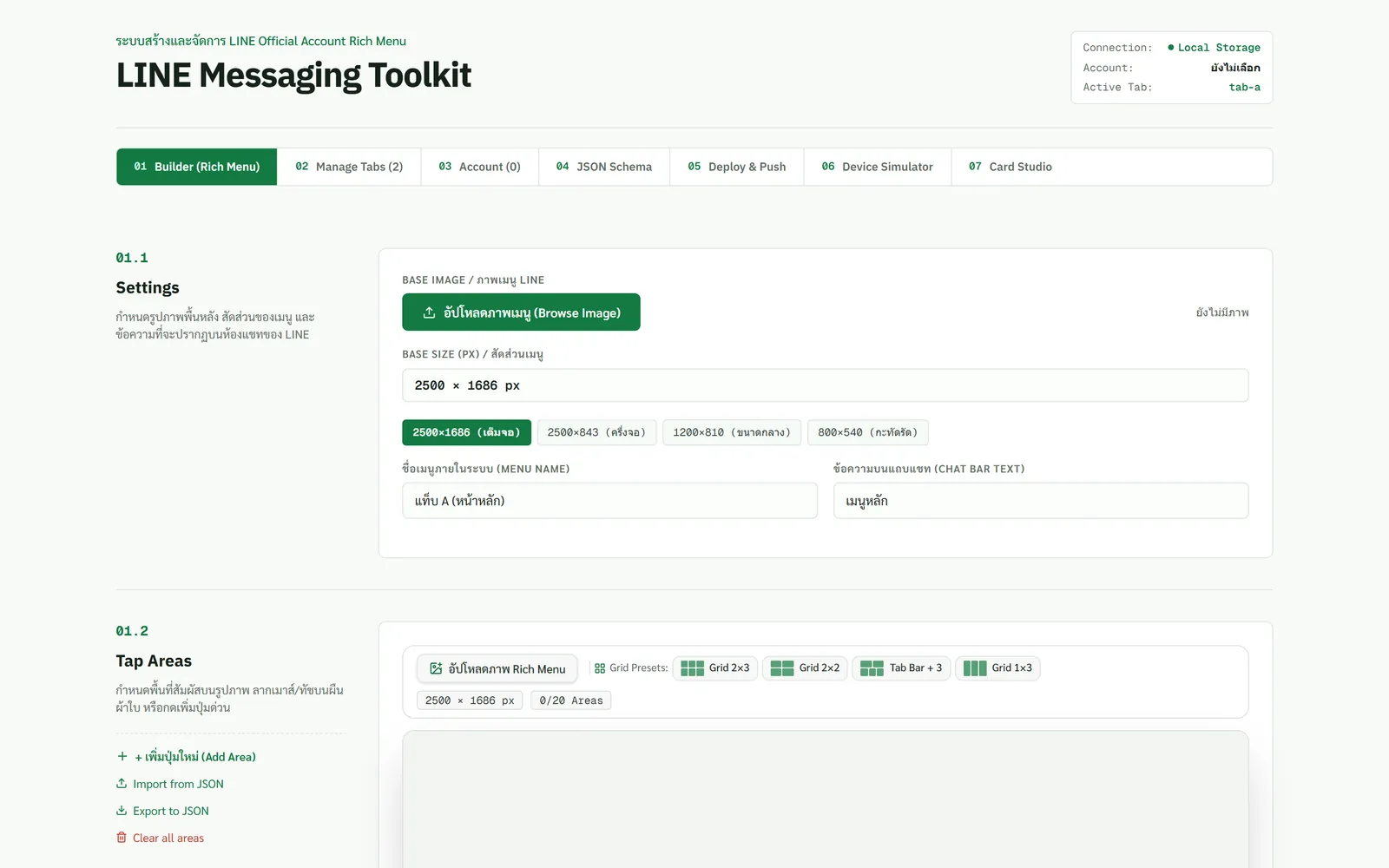
The interface employs a productive 3-column layout: Client/Tab Manager on the left, an interactive visual canvas in the center with drag-to-draw bounding boxes, and an Action Editor on the right. All bounding boxes automatically scale to standard LINE dimensions (2500x1686 px or 2500x843 px).
Rich Menu Simulator & Tab Switching
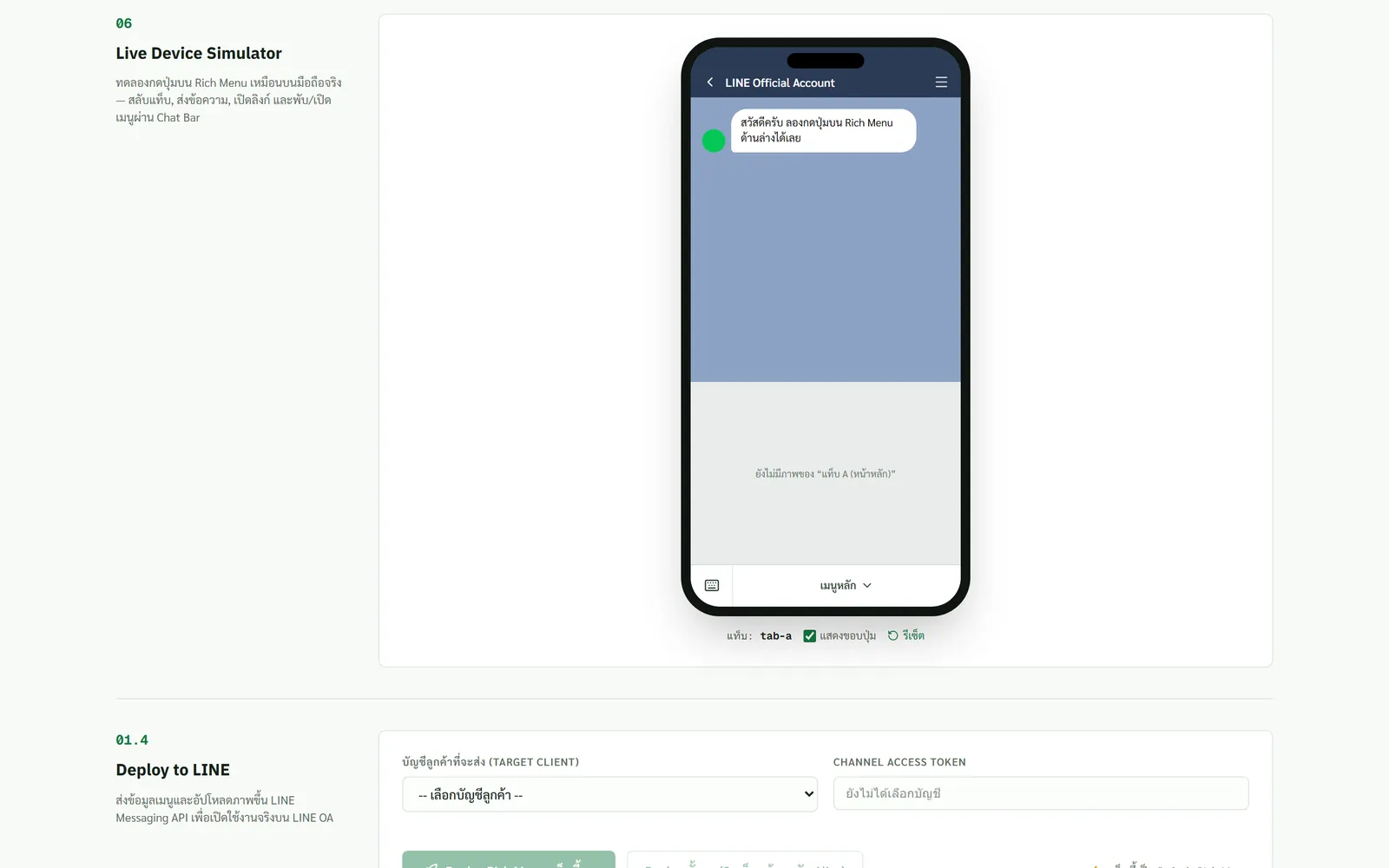
A built-in chat simulator mirrors the real LINE mobile chat experience. Creators can preview interactive taps, test tab switching transitions, and verify action payloads (URI, Message, Rich Menu Switch) in real-time before pushing to live accounts.
Card Studio & Template Designer
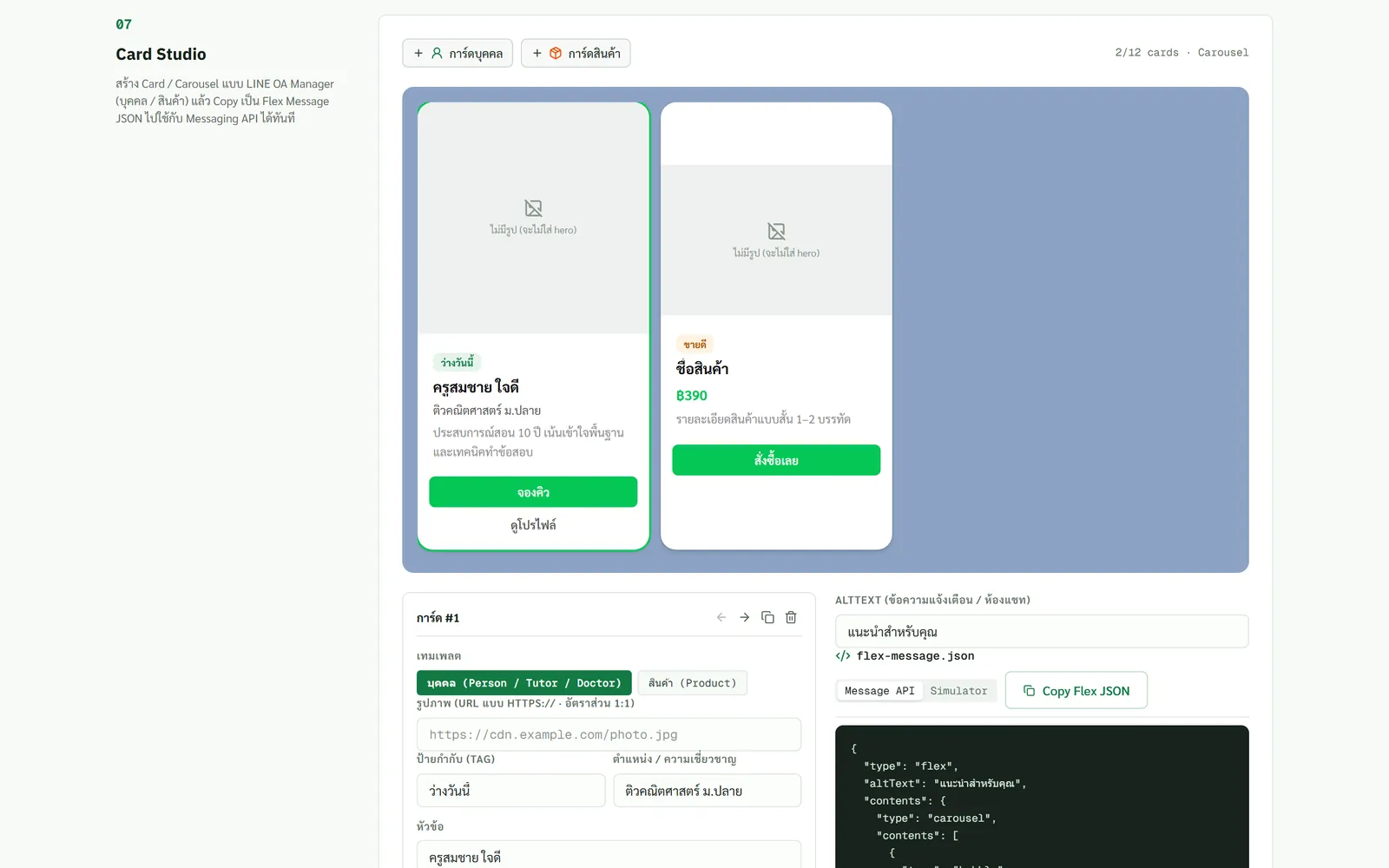
Structured tab and card management enables rapid assembly of multi-context menus with linked alias graphs.
3. Architecture & Workflows
The deployment engine automates the 4-stage provisioning lifecycle required by LINE Messaging API:
graph TD A["Visual Canvas / Action Config"] -->|Draw & Configure| B["Zustand State Store"] B -->|Export & Validate| C["Rich Menu Schema Generator"] C -->|Coordinate Scaling| D["Next.js API Route /api/richmenu/deploy"] D -->|Step 1: Create Schema| E["LINE API: /v2/bot/richmenu"] D -->|Step 2: Upload Image Binary| F["LINE API: /v2/bot/richmenu/:id/content"] D -->|Step 3: Bind Alias| G["LINE API: /v2/bot/richmenu/alias"] D -->|Step 4: Set Default Menu| H["LINE API: /user/all/richmenu/:id"]Data Pipeline & Lifecycle
- Interactive Canvas: Bounding boxes drawn on viewport-scaled images undergo inverse affine transforms to match native high-resolution coordinates.
- Action Binding: Actions are assigned per region (Web URI, automated chat message, or richmenu switch using aliases).
- Automated 4-Step Deployment:
- Registers rich menu metadata with
/v2/bot/richmenu. - Converts and streams binary image buffers directly to
/v2/bot/richmenu/{id}/content. - Binds alias identifiers for seamless tab switching.
- Designates default menu for all account followers.
- Registers rich menu metadata with
4. Engineering Highlights & Challenges
1. Pixel-Perfect Coordinate Scaling
Standard LINE rich menu graphics are high-density (2500x1686 px or 2500x843 px). Displaying them inside responsive browser viewports requires dynamic scaling. The transformation engine computes sub-pixel coordinates back to absolute integers, preventing tap misregistrations or overlapping action boundaries.
2. Multi-tab State Orchestration (Zustand)
Complex state graphs—spanning multiple client accounts, individual tabs, custom image layers, and alias relationships—are orchestrated via Zustand, ensuring snappy rendering with zero UI stutter.
3. Zero-Server Secret Storage
To safeguard third-party client credentials, Channel Access Tokens never touch persistent backend storage. Deploy requests pass ephemeral credentials directly to runtime proxy handlers that discard them immediately upon API response.
5. My Role & What I Built
As the Full-stack & System Architect, I spearheaded the architecture and full implementation:
- Interactive Canvas Engine: Built the drag-and-drop bounding box system on React 19 and Next.js 16.
- State & Multi-Client Architecture: Structured reactive state storage and client profile managers with Zustand.
- LINE Messaging API Integration: Engineered the multi-step server-side deployment pipeline handling binary image streaming and alias linkage.
- Automated Testing: Designed Vitest test suites verifying coordinate scaling matrices, payload validations, and error boundaries.
6. Result & Current State
- Production Live: Fully deployed and operational on Vercel Production (
line-toolkit.vercel.app). - Efficiency Boost: Reduced multi-tab Rich Menu provisioning time from hours to minutes.
- Zero Technical Overhead: Enabled non-technical designers and marketing managers to deploy rich menus independently without writing code or interacting with curl commands.
7. Demo & Code
- Production Live: line-toolkit.vercel.app
- GitHub (Private Repository): Manchinn/line-toolkit
- Architecture: Next.js 16 (App Router) + React 19 + TypeScript + Tailwind CSS v4 + Zustand + LINE Messaging API
- Deployment Target: Vercel Production Environment