Case Study: Autonomous Image Generation Skill & Local Asset Pipeline with MaxPlus Gateway
Executive Summary
Engineered and deployed a Custom Agent Skill (maxplus-image-gen) for Hermes Agent, enabling the autonomous AI coding assistant to generate web mockups, hero banners, icons, and perform image-to-image style transfers directly into project directories via the MaxPlus AI Gateway. Overcame the long-standing challenge of garbled non-Latin typography in generative AI by leveraging the gpt-image-2.5-sunburst model to render 100% accurate, high-definition 3D Thai infographics.
The Problem
When developing web applications or creating technical tutorials with autonomous coding agents, developers face recurring frictions:
- Context-Switching Bottleneck: Generating mockup assets usually requires leaving the IDE/agent environment to prompt external web services (e.g., Midjourney or ChatGPT), followed by manually downloading, renaming, and moving assets into project repositories.
- Expensive Official API Tiers: Calling primary image APIs directly incurs high costs and restricts dynamic model switching or non-standard aspect ratios.
- Typography Degradation in Non-Latin Scripts: Most generative image models distort Thai typography, rendering broken vowels, floating tone marks, or unreadable glyphs.
Visual Evidence
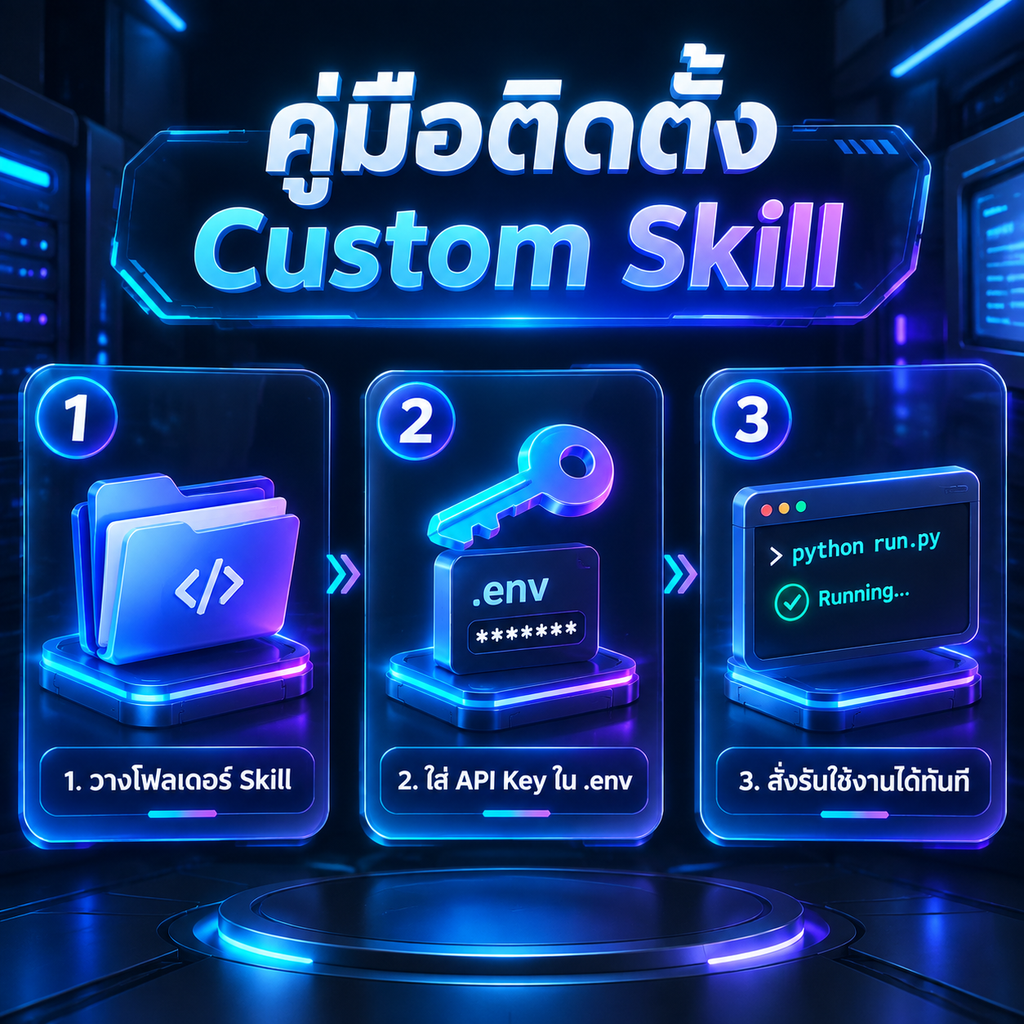
Above: A 3D Glassmorphic step-by-step tutorial infographic rendered using gpt-image-2.5-sunburst, achieving 100% accurate Thai lettering and diacritic placement.
System Architecture
The skill follows a Declarative Skill Specification coupled with an isolated Python CLI Generator located at %LOCALAPPDATA%\hermes\skills\creative\maxplus-image-gen\:
maxplus-image-gen/├── SKILL.md # Agent Instruction & Trigger Rules└── scripts/ └── generate.py # Python CLI Generator (Requests + Base64 decode)┌─────────────────┐ ┌──────────────────────┐ ┌────────────────────────┐│ Hermes Agent │ ───> │ scripts/generate.py │ ───> │ MaxPlus AI Gateway ││ (Chat / Plan) │ │ (CLI & Argparse) │ │ (OpenAI Images API) │└─────────────────┘ └──────────────────────┘ └────────────────────────┘ │ │ │ │ ▼ ▼ MEDIA Preview <────── Save Binary PNG File <────── Base64 Payload ReturnWhat Was Built
1. Unified Text-to-Image & Image-to-Image (Style Transfer)
The generator script accepts up to 5 reference images to guide restyling operations, such as transforming a standard photo into a cyberpunk render:
Original Source (test_cat.png) | Restyled Output (cat_cyberpunk.png) |
|---|---|
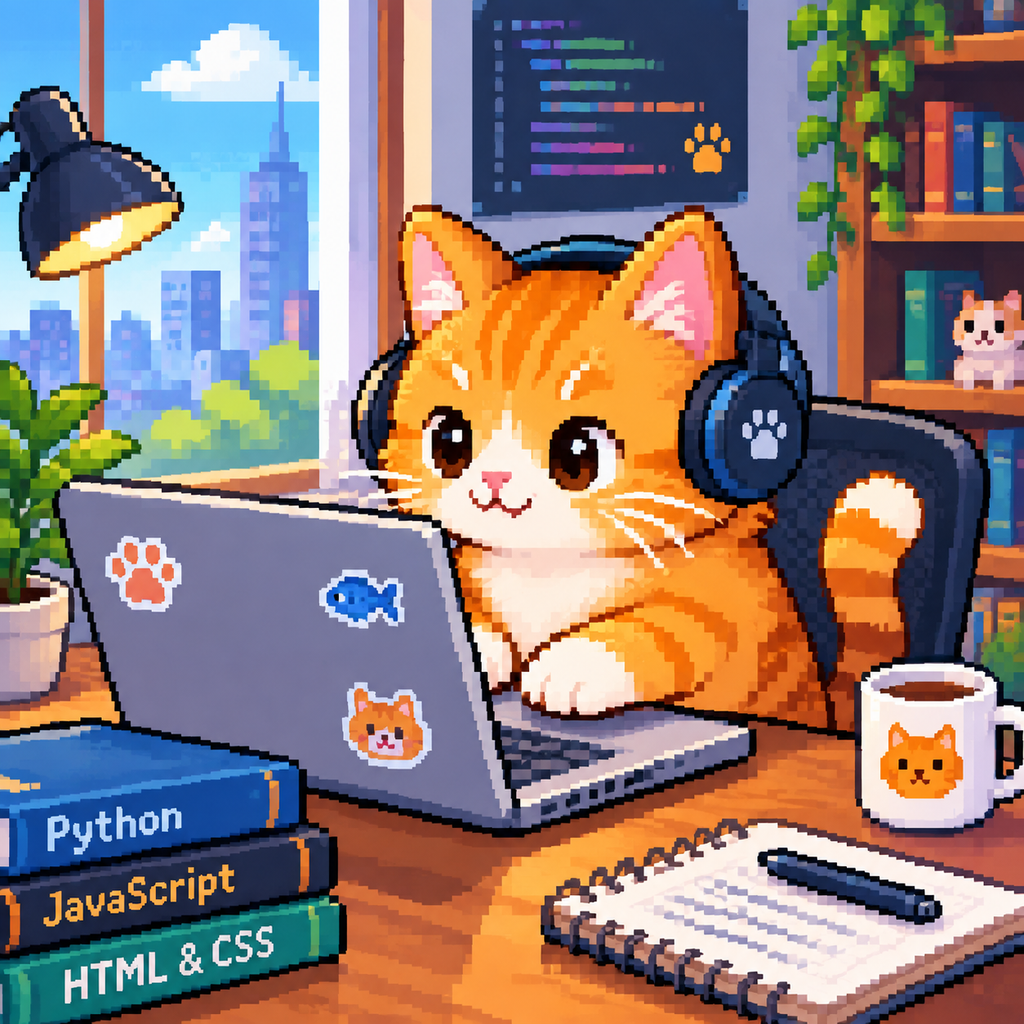 | 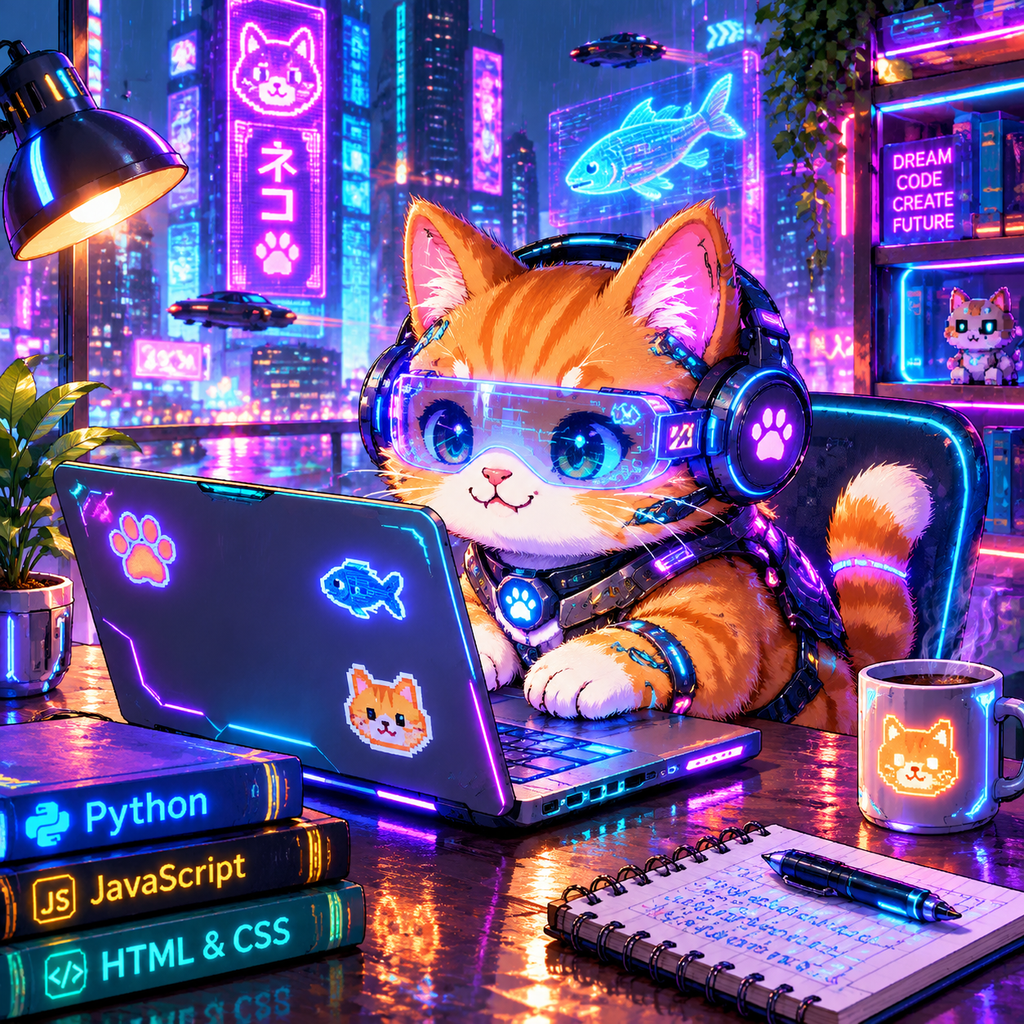 |
2. Multi-Aspect Ratio & Dynamic Pool Routing
Automatically maps models to the correct gateway endpoints across standard and ultrawide aspect ratios:
- 1:1 (Square):
1024x1024,2048x2048 - 16:9 (Landscape / Hero):
1024x576,2048x1152 - 9:16 (Mobile / Story):
576x1024,1152x2048 - 21:9 (Ultrawide Banner):
1008x432 - Supported Pools:
gpt-image(gpt-image-2,gpt-image-2.5-sunburst),gpt-image-lite(qwen-image-2.0),grok-image(grok-imagine-image-2.0)
3. Local Binary Decoding & Instant Chat Delivery
- Requests
response_format: "b64_json"to receive raw bytes directly, bypassing expiring third-party CDN URLs. - Decodes Base64 payloads and writes binary
.pngfiles directly to the destination path. - Emits structured JSON stdout with a
MEDIA:<path>tag, allowing Hermes Desktop to render inline visual previews in chat immediately.
Technical Challenges & Solutions
1. Achieving High-Fidelity Thai Typography
- Challenge: Thai script contains complex multi-level diacritics and vowels positioned above and below base consonants (e.g.
คู่มือ,ติดตั้ง,ใช้,ได้), which standard diffusion models distort. - Solution:
- Targeted the
gpt-image-2.5-sunburstmodel through the gateway. - Engineered structured prompts specifying “clean Thai typography” and providing explicit per-card text strings within quotation marks.
- Verified output using computer vision analysis (
vision_analyze), confirming zero broken vowels or floating tone marks.
- Targeted the
2. Secure Credential Isolation
- Challenge: Passing credentials in agent execution logs risks exposing API keys.
- Solution: Configured
generate.pyto resolveMAXPLUS_IMAGE_API_KEYdirectly from the local environment and%LOCALAPPDATA%\hermes\.env, keeping keys completely out of CLI arguments and prompt history.
Key Learnings
- Declarative Skills Create Deterministic Workflows: Packaging API logic into a CLI tool ensures the agent executes reliably without synthesizing throwaway network scripts.
- Modern Generative Models Handle Complex Scripts: With appropriate model selection (
sunburst) and layout-focused prompt structures, non-Latin typography can be rendered natively without post-processing. - Local-First Asset Delivery Accelerates Prototyping: Direct disk writes combined with agent chat rendering dramatically shorten the feedback loop for UI/UX asset generation.
Tech Stack
Hermes Agent Skills, Python 3.11, Requests, Pillow (PIL),MaxPlus AI Gateway, gpt-image-2.5-sunburst, Base64 Stream Decoding, Windows 11